AI & Machine Learning
Access a comprehensive catalog of AI models from leading providers. Deploy, manage, and integrate models into your applications with ease.
Quick Start
Get started with AI models on Kloud Team:
Explore
Browse available models and explore their capabilities
Deploy
Deploy models and integrate them with your applications
Create
Generate videos from text using the Sora model
Optimize
Optimize performance, cost, and reliability
What's Available
Kloud Team's AI Models Catalog offers:
- Self-Hosted Models – Deploy open-source models on your own infrastructure
- Third-Party Models – Access models from Anthropic, OpenAI, xAI, and other providers
- Multiple Model Types – Chat completion, code generation, vision, video, and more
- Transparent Pricing – See token costs for prompts and completions upfront
Key Features
Browse the Catalog
Explore a wide range of AI models from various providers. Compare capabilities, pricing, and performance to find the right model for your use case.
Available Models:
- Claude – Anthropic's advanced reasoning models (Opus, Sonnet, Haiku)
- GPT – OpenAI's conversational and code generation models
- Grok – xAI's fast reasoning model
- Sora – Text-to-video generation
- Open Source – Self-hosted models for data privacy
Use A Model and Integrate
Deploy models with one click and get instant API access. Integrate models into your applications using our REST API.
Quick Deployment:
- Select a model from the catalog
- Click "Use This Model"
- Get your API endpoint and access key
- Start making requests
Generate Videos
Create high-quality videos from text descriptions using the Sora model. Customize dimensions, duration, and style.
Video Generation Features:
- Text-to-video conversion
- Multiple aspect ratios (1:1, 16:9, 9:16)
- Customizable duration
- High-quality output
Optimize Performance
Learn best practices for cost optimization, performance tuning, and reliable integrations.
Optimization Topics:
- Model selection strategies
- Cost management
- Error handling
- Monitoring and logging
Common Use Cases
Chat Completion
Build conversational AI, customer support chatbots, and general-purpose text generation:
curl https://llm.kloud.team/v1/chat/completions \
  -H "Authorization: Bearer YOUR_ACCESS_KEY" \
  -H "Content-Type: application/json" \
  -d '{
    "model": "claude-sonnet-4-5",
    "messages": [{"role": "user", "content": "Hello!"}]
  }'
Code Generation
Generate, review, and refactor code with AI-powered assistance:
- Code completion and suggestions
- Bug detection and fixes
- Documentation generation
- Code review and refactoring
Vision Processing
Analyze images, extract information, and understand visual content:
- Document processing with images
- Chart and diagram analysis
- UI/UX evaluation
- Receipt and invoice parsing
Video Creation
Generate videos from text descriptions for marketing, education, and social media:
- Product demonstrations
- Marketing content
- Educational videos
- Social media posts
Getting Started
Access the Dashboard
Navigate to AI [Machine Learning] > Models > Catalog in the Kloud Team dashboard.
Choose a Model
Browse available models and select one that fits your needs. Review the pricing and capabilities.
Deploy the Model
Click "Use This Model" to deploy and get your API credentials.
Integrate with Your App
Use the provided endpoint and access key to make API requests from your application.
Pricing
Model pricing is based on token usage:
- Prompts (Input) – Cost per 1,000,000 input tokens
- Completions (Output) – Cost per 1,000,000 output tokens
- Real-time Monitoring – Track usage in the dashboard
Cost Optimization:
Choose efficient models like Haiku for simple tasks and monitor token usage to manage costs effectively.
Monitoring Usage
Track your AI model usage in real-time:
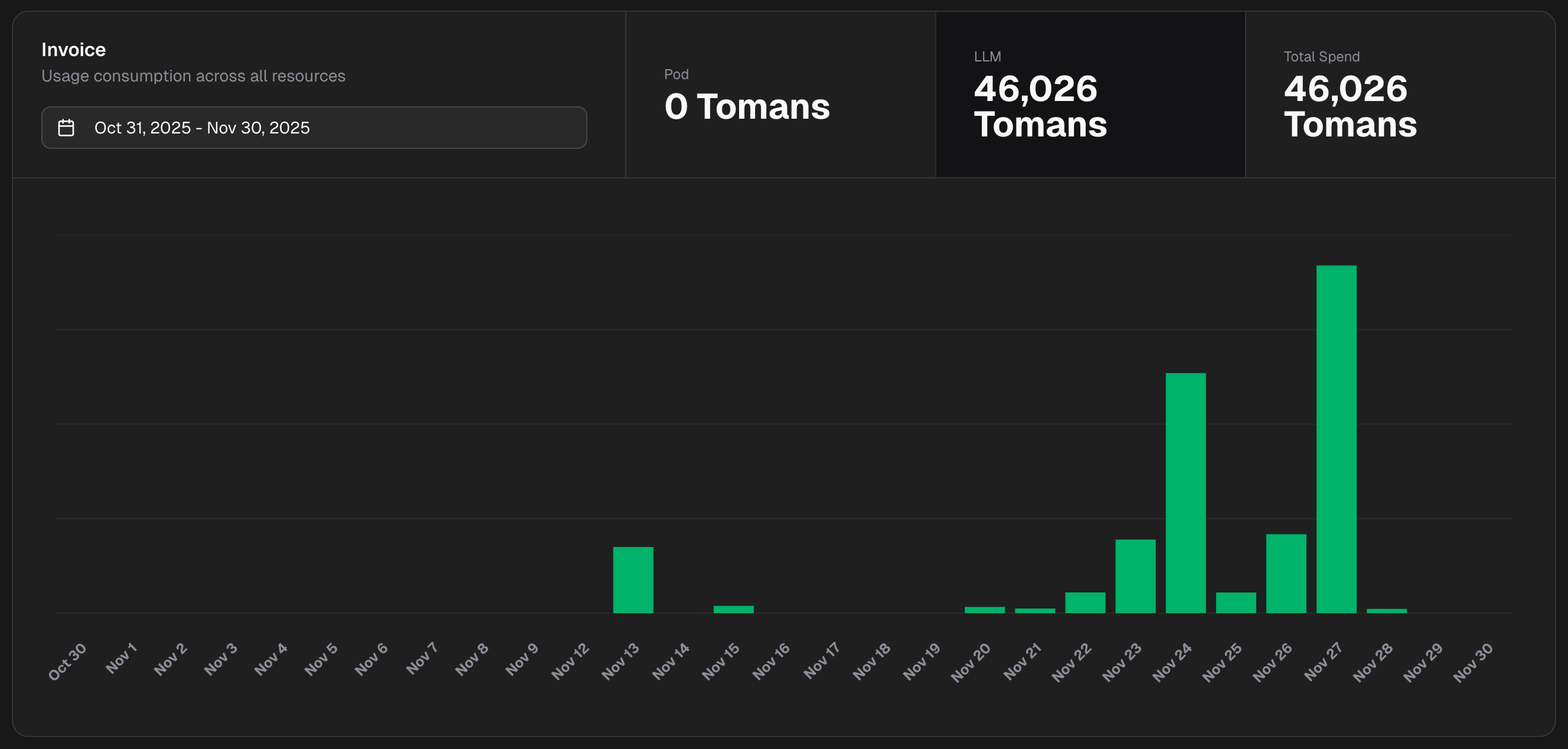
Dashboard Features:
- Token consumption tracking
- Cost monitoring
- Performance metrics
- Usage analytics
Support
Need help with AI models?
- Catalog Overview – Browse available models
- Models Deployment – Deploy and integrate
- Video Generation – Generate videos
- Best Practices – Optimization tips
- Getting Started – General setup guide
- Contact Support – Get assistance